



Adding Funds

  • Last Created On Jun 10, 2025
  • 392
0 0

NEOK GIG(Jobs) Adding Funds

To add fund to your account. 
Clicking the image will take you to the appropriate section of the image. 

1. Login 
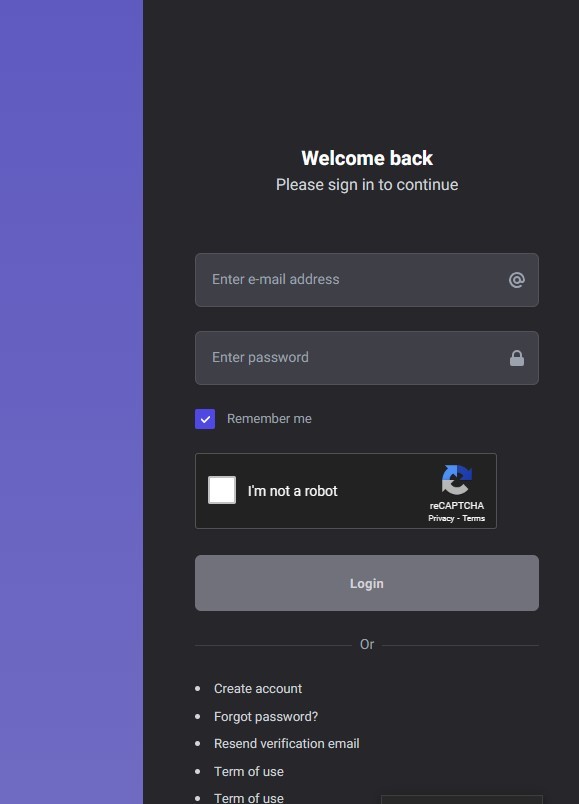
2. Click the hamburger menu if you are using a mobile device 

 if you are using a personal computer - Click your profile then Deposit. 
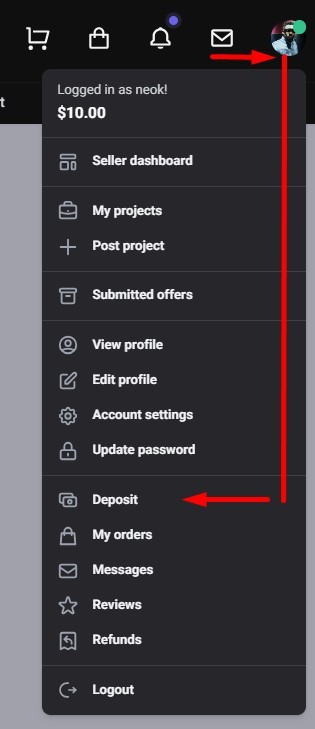
3. Click Deposit.

4. Select the payment method of choice and add funds to your account. 

Views: 392

Recent Articles

  • Adding app
    382
  • How to add NEOK Apps on iOS, iPhone, iPa...
    502
  • Can't login app. App not working, app cr...
    421
  • Adding Funds
    392
  • {Disarmed} status in email.
    449

Popular Articles

  • Webmail - Setting up emails
    776
  • No Sound
    690
  • NEOK ID
    655
  • iOS Mail setup
    632
  • NEOK Promo - Message Segment
    621